
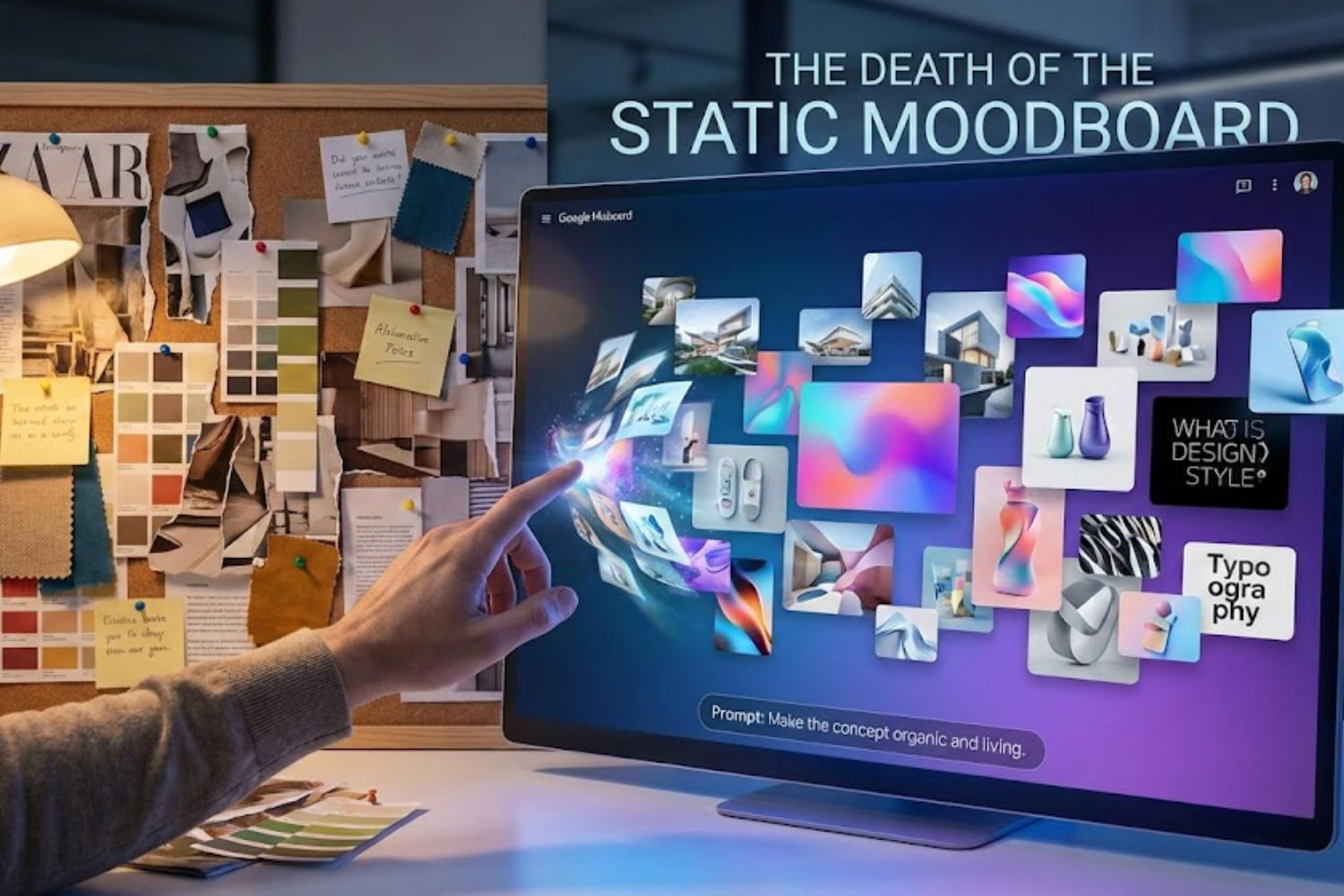
Google Labs’ new experimental tool isn’t just another AI image generator; it’s an attempt to turn passive inspiration into an active conversation with a living canvas.
The Missing Step in Creativity
For years, the digital creative process has had a distinct gap.
On one side, we have “collecting” tools like Pinterest or Are.na. We doom-scroll for hours, pinning finished images created by other people, hoping that proximity to good design will osmosis into our own projects. These platforms are fantastic archives of static inspiration.
On the other side, we have the new wave of generative AI giants like Midjourney or DALL-E. These are powerful “slot machines”—you insert a complex prompt ticket, pull the lever, and hope a usable image pops out.
But where do you go to actually think visually? Where do you go to take pieces of inspiration, mash them together, and iterate on them without needing Photoshop skills?
Enter Google Mixboard.
Currently an experiment out of Google Labs (and running on their new “Nano Banana” image model), Mixboard is best described as a “living” whiteboard. It’s a sprawling, infinite canvas where you don’t just generate images; you arrange them, remix them, and crucially, talk to them to make edits.
It is Google’s attempt to bridge the gap between collecting inspiration and creating initial concepts.
The Nuts and Bolts: Pros and Cons
Mixboard is currently in public beta. Like all Google Labs projects, it is impressive but raw. Before diving into the philosophy behind it, here is a practical look at where it stands today.
The Pros
- Natural Language Editing (The Killer Feature): This is where Mixboard beats standard generators. You don’t just generate an image and hope for the best. You can click on an image of a living room and type, “Add a mid-century modern lamp in the corner,” or “Make the lighting moodier and darker.” It understands the context of the existing image and edits it.
- The Infinite Canvas: Unlike the rigid grid of Discord-based generators or the single-image output of most web interfaces, Mixboard allows you to sprawl. You can have fifty iterations of a logo concept side-by-side with mood images and color palettes.
- Iterative Speed: It is exceptionally fast for “vibe checking.” If you are trying to figure out the tone of a branding project, you can generate ten different aesthetic directions in minutes.
- Low Barrier to Entry: It’s currently free (if you have access) and runs in a browser. No complex Discord commands required.
The Cons
- It’s an “Experiment”: The biggest caveat. Google is notorious for killing Labs projects. Don’t build your entire professional workflow around it yet; use it for disposable ideation.
- Not Production Ready: The Nano Banana model is fast, but it lacks the photorealistic polish of Midjourney v6 or the nuanced control of Stable Diffusion. The images are great for concepts, but you wouldn’t use them for final marketing assets.
- Hallucinations and Aesthetics: It sometimes struggles with complex instructions and has a slight tendency toward a “glossy AI” aesthetic unless prompted otherwise.
- Limited Export: Getting high-resolution work out of the canvas is currently limited.
The Deep Philosophy: From Search to Synthesis
If we look past the immediate utility of Mixboard, we can see a shift in how Google views creativity in the AI age. Mixboard represents a philosophical move from search to synthesis.
· The Conversation with the Canvas
Traditional creative software is passive; it only does exactly what your hand tells it to do via a mouse or stylus.
Mixboard treats the canvas as an active partner in a dialogue. You suggest an idea (“A brutalist concrete coffee shop”), and the canvas responds with a visual. You criticize the response (“Too cold, add warm wood accents and plants”), and the canvas adjusts.
This changes the creator’s role from “executor” to “director.” You are directing the AI to refine a vision. It acknowledges that creativity is rarely a lightning strike of a perfect idea; it’s a messy, iterative conversation.
· Active vs. Passive Inspiration
A traditional mood board is a cul-de-sac. It is a collection of other people’s finished work. You look at it, get inspired, and then have to leave that environment to open Illustrator or Figma to start your own work from scratch.
Mixboard wants to make the mood board the actual workspace. Because the images on the board are malleable, the inspiration isn’t static. If you find an image you like on your Mixboard, it isn’t just a reference; it’s a piece of clay you can immediately start molding into your own concept.
· Visualizing the Abstract
Perhaps the most profound potential of tools like Mixboard is their ability to help us visualize abstract concepts quickly.
When trying to define the “philosophy” of a brand, concepts like “integrity,” “agility,” or “quiet luxury” often fail. Mixboard allows a team to rapidly generate visual metaphors for these abstract terms, ensuring everyone is literally “picturing the same thing” before a single logo is designed.
Conclusion
Google Mixboard is imperfect, and its future is uncertain. But as a statement of intent, it is fascinating. It suggests a future where AI isn’t just a button we press to get a final image, but an environment we inhabit to think through our ideas visually.
